
WhatsApp’s Latest Privacy Protection: What You Need to Know About Strict Account Settings
Privacy and security have always been at the core of WhatsApp’s mission. From the very beginning, WhatsApp has protected your personal chats and calls with end-to-end encryption — meaning only you and the person you’re communicating with can read what’s sent.
That’s great for most users. But today’s digital landscape includes smarter trackers, more sophisticated attackers, and new methods designed to exploit vulnerabilities in ways that go beyond typical scams.
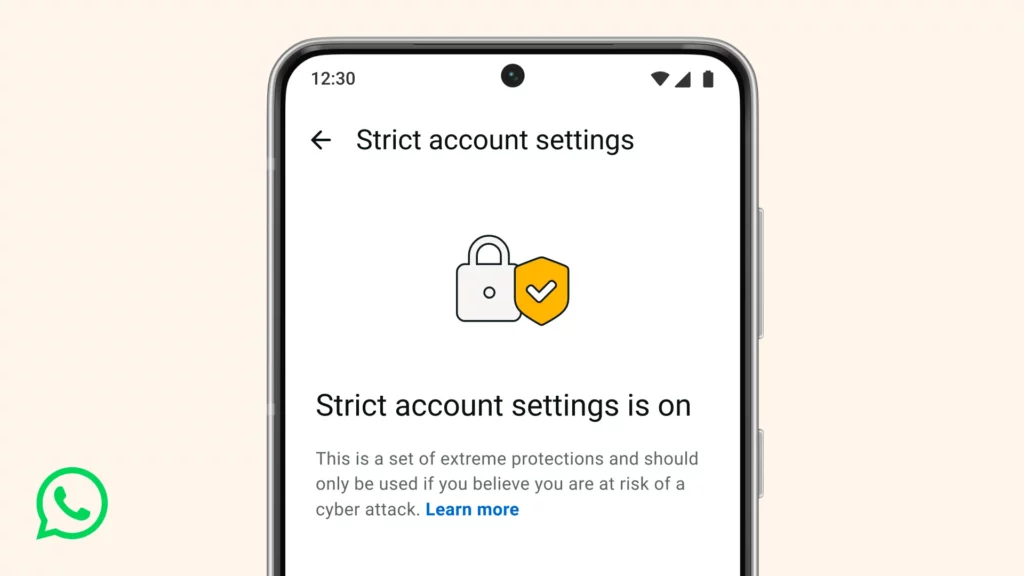
That’s exactly why WhatsApp has introduced Strict Account Settings — a lockdown-style, advanced privacy mode built for people who want maximum security against rare, highly sophisticated cyberattacks.
According to WhatsApp’s official announcement, this feature is optional, rolling out gradually across devices, and packs multiple protective measures under one simple toggle.
In this blog post, we’ll break down:
✔ What Strict Account Settings actually does
✔ Who it’s for — and who might not need it
✔ How it enhances privacy beyond the usual protections
✔ How to enable it on your device
✔ Pros and cons you should consider
Let’s dive in.
Why WhatsApp Is Rolling Out This Feature
WhatsApp believes your privacy online should be as strong as your privacy in person.
That means not only protecting the content of your chats with encryption but also limiting who can contact you — especially if your identity or conversations are at risk.
While everyday users face routine phishing attempts or spam, some people are targeted by highly sophisticated threats: state-level spyware, harassment campaigns, and advanced intrusion tools deployed against activists, journalists, or public-facing figures.
These are the types of attacks that normal settings may not fully defend against.
That’s where Strict Account Settings comes in. It’s a stronger, one-click protective mode designed to shrink the “attack surface” that advanced cybercriminals use to try to compromise an account.
What Strict Account Settings Actually Does
When you enable this feature on WhatsApp, it automatically applies the most restrictive version of several privacy and security settings.
This means less exposure to unwanted interactions from unknown sources — a trade-off between some convenience and stronger protection.
Here’s what Strict Account Settings changes:
#1. Blocks Media & Attachments from Unknown Contacts
Files like photos, videos, and documents from people not saved in your contacts are automatically blocked. This cuts down the risk of malicious files reaching your phone.
#2. Silences Calls from Unknown Numbers
Spam calls and unknown callers are muted, reducing chances of phishing or attacker-initiated call exploits.
#3. Disables Link Previews
Instead of showing a preview of an external link (which could leak metadata), this mode turns off link previews entirely.
#4. Limits Group Invites
Only people in your contacts — or a pre-approved list — can add you to WhatsApp groups. This stops unknown people or bots from pushing you into community spam or malicious groups.
#5. Restricts Profile Visibility
Your profile photo, last seen, online status, About info, and other personal details become visible only to contacts you’ve saved — reducing information leaks to outsiders.
#6. Stronger Account Security Controls
Two-step verification is turned on by default, and security notifications (alerts when encryption codes change) are locked in place — preventing removal by attackers.
Together, these adjustments make your account much harder to target with advanced spyware or engineered attacks.
Who Should Use Strict Account Settings (And Why)
WhatsApp specifically calls out a few groups that might benefit most:
- Journalists working in sensitive areas
- Activists or community organisers
- Public-facing individuals vulnerable to targeting
- High-risk professionals with exposure to sophisticated threats
If someone is relatively unknown online or mostly interacts with personal contacts they trust, the extra restrictions might feel overly restrictive.
But if privacy is a priority — even more than convenience — this setting gives peace of mind by minimizing contact from unfamiliar or potentially hostile sources.
How to Enable Strict Account Settings
Turning on this privacy mode is straightforward:
- Open WhatsApp on your phone
- Go to Settings
- Tap Privacy
- Scroll to Advanced
- Turn on Strict Account Settings
One important note: this feature can only be enabled from your primary phone — not from WhatsApp Web or desktop apps.
Because the rollout is gradual, you might not see the option immediately — but it should appear in the coming weeks if your app is updated to the latest version.
A Closer Look at the Trade-Offs
This mode is powerful — but it’s not without consequences:
✔️ Pros
- Significantly reduced exposure to unsolicited interactions
- Stronger defense against targeted attacks and spyware
- Limits risky content before it reaches your device
- Keeps sensitive profile details hidden from unknown users
⚠️ Cons
- You might miss legitimate media from new contacts (like delivery updates, new acquaintances, or business clients not in contacts)
- Group invitations could be limited
- Some people might find the restrictions too strict for everyday use
The bottom line? If security is your priority — especially against advanced threats — this setting is worth considering. But if you frequently communicate with new contacts you don’t save immediately, you may want to use it selectively.
How This Fits Into WhatsApp’s Broader Privacy Vision
Strict Account Settings sits on top of WhatsApp’s default protections like end-to-end encryption — meaning even with this mode off, your messages and calls are still private and secure. What this new mode does is limit interactions that may introduce risk before they happen.
WhatsApp continues to evolve privacy features because threats evolve too. From surveillance exploits to sophisticated phishing campaigns and spyware, the digital ecosystem is constantly changing — and platforms must adapt. Strict Account Settings is one such adaptation.
In fact, this move aligns with broader tech industry trends. Others like Apple and Google have introduced similar lockdown or advanced protection modes, recognising that certain users face elevated risk and need stronger defaults.
Conclusion
Privacy isn’t one-size-fits-all. Some people will be perfectly safe with WhatsApp’s existing encryption and security features. Others — particularly those in the public eye or with sensitive communications — may need something stronger.
Strict Account Settings gives users choice: a simple switch that transforms your account into its most secure state. It isn’t required.
It isn’t pushed on everyone. But it’s a powerful option — especially in a world where cyber threats are becoming more targeted and more sophisticated.
If privacy matters to you — deeply — this new feature is worth exploring.
